

01
Start with what you know.
Write a brief yourself, or tell the brief builder who the call is with and what it’s for. It gathers past calls, your notes and a web lookup.
Nothing is saved until you press Save.
How it works
Prepare a brief, get help while you talk, then review what the call leaves behind.
Who they are. Why they booked. What to ask. What to watch for.
A short brief gives the next conversation a place to start.You’ll find your briefs under Packs in the app.
Write a brief yourself, or tell the brief builder who the call is with and what it’s for. It gathers past calls, your notes and a web lookup.
Back-to-back calls? The next brief takes over five minutes before its call.
Say a product’s name or a person’s full name to bring in their brief. Starting without one? Type a line about what the call is for.
02 · During the call
The call panel keeps the next thing to say close at hand, with the source underneath. You keep the conversation moving.
Your briefs and documents give the answer its context.
The pilot includes two guided onboarding sessions.
The matching fact in your notes
The panel makes that distinction visible, so you can decide what to say.
What to say
They asked: Can the pilot include onboarding?
Yes. The pilot includes two guided onboarding sessions.
Cedar pilot brief · Nov 10, 2026
Which teammates should join the first session?
Who owns the onboarding checklist?
When should we hold the planning session?
03 · Steer it live
Hold Control + Option, then a key.
Click a key, or focus this control and press Control + Option with a shortcut.
More ways to steer the call
Look up a fact. Ask about your screen. Change the angle of the answer. These tools are there when you choose them.
Ask for a web lookup when you need something beyond your notes. The answer includes links to the facts it uses.
“Look up their latest product announcement.”
Use the screen shortcut to send a screenshot to the AI for that answer. You choose when to send it.
The kind of call changes the angle of the answers.
Web lookup and screen reading are deliberate actions. They run when you ask for them.
The conversation becomes a document. Decisions and actions stay with it. Suggested people and follow-ups come to you for approval.
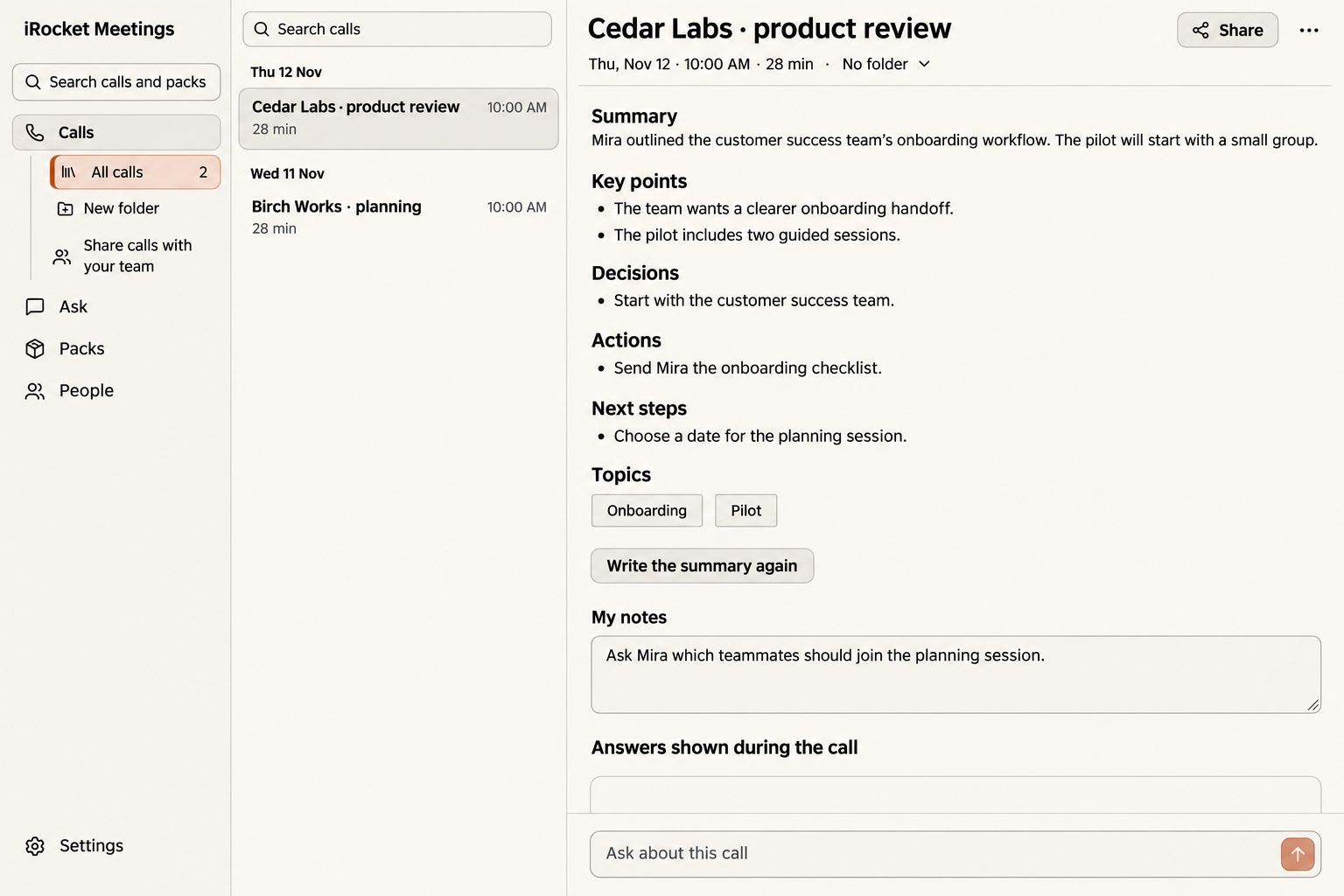
Organize calls into folders, search their transcripts, or ask across one call, a folder or your history.
Read the summary and key points alongside the full transcript, your own notes and the answers shown during the call.
Keep the decisions with the conversation that led to them.
“Start with the customer success team.”
Find the actions and next steps without replaying the whole call.
“Choose a date for the planning session.”
Review proposed contacts, updates and follow-ups before they are saved. The call document is already there; these changes wait for you.
Customer success
Cedar Labs
A next step to review, linked to the call it came from.
Voice typing · also on your Mac
Hold Right Option, speak, let go. Your words land wherever your cursor is, in any app.
New message
ToDana Reyes
SubjectThe chart
Thanks Dana,
I’ll send the chart today.
Your words, in the app you’re already using.
Use the Right Option key.
Say what you want to write.
Your words go at the cursor.
Before your first call
A Mac, your call app,
and English for now.
The speech models
download once.
Call app
Zoom · Google Meet
Microsoft Teams
Or any call your Mac can hear.
Current language
Today
We’ll confirm the AI connection details during early access.